Category Management in Admin
Adding, Editing, Copying, Moving and Deleting Categories
Adding a Category
Adding a category allows you to set all the fields which describe the category.
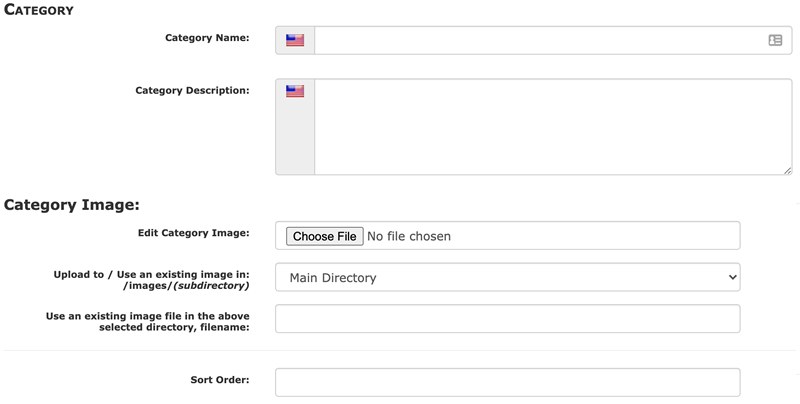
The categories add/edit screen allows you to:
- set the category name and description
- set the category image
- set the category sort order
- restrict new product additions to the category to only specific product types if desired. See Product Type Restrictions.
For more information, see the category FAQs.
Editing a Category
Adding a category and editing that category are performed on the same screen.
Deleting a Category
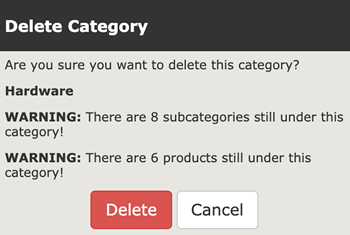
Deleting a category removes it from the catalog entirely. Deleting a category is done from the Categories/Products screen using the trash can icon.
It is best to remove or move any sub-categories or products under a category you are about to delete.
Moving a Category
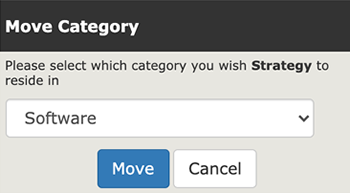
Moving a category changes its place in the hierarchy.
Moving a category is done from the Categories/Products screen using the purple M icon.
Category Meta Tags
See Category Meta Tags Editor.
Still have questions? Use the Search box in the upper right, or try the full list of FAQs. If you can't find it there, head over to the
Zen Cart support forum
and ask there in the appropriate subforum.
In your post, please include your Zen Cart and PHP versions, and a link to your site.
Is there an error or omission on this page? Please post to General Questions on the support forum. Or, if you'd like to open a pull request, just review the guidelines and get started.
You can even PR right here.
Last modified August 24, 2020 by Delia Wilson Lunsford (57f3ab81).